· Hamza · Programming · 4 min read
What Is Git? A Complete Beginner's Guide (2026)
Learn what Git is, how it works, why developers use it, basic Git commands, and how version control improves software development.
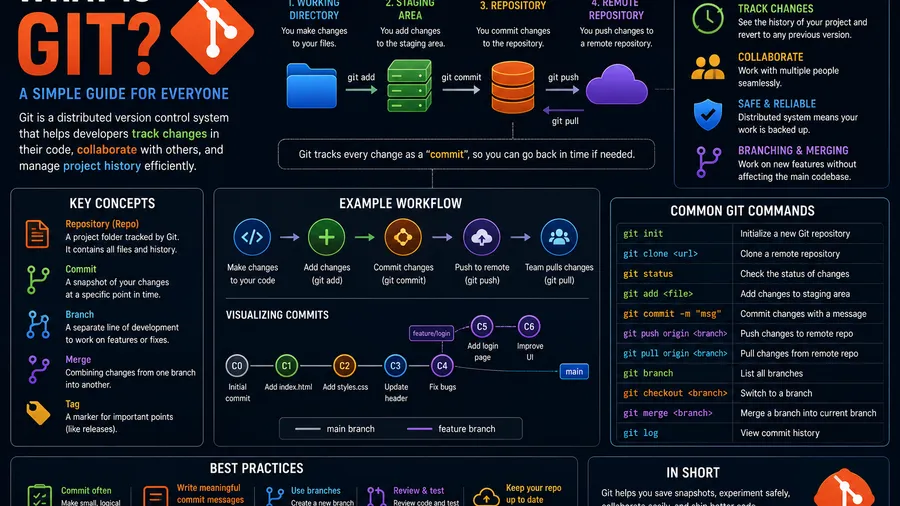
What Is Git? A Complete Beginner’s Guide (2026)
Git is one of the most essential tools in modern software development. Whether you’re building a personal project or collaborating with a team, Git helps you track changes, manage code, and work more efficiently.
In this guide, you’ll learn what Git is, how it works, its key features, and why every developer should know how to use it.
What Is Git?
Git is a distributed version control system (VCS) that allows developers to track changes in files and collaborate on projects.
Instead of saving multiple copies of the same project, Git records every change so you can review, restore, or compare previous versions whenever needed.
Git was created by Linus Torvalds in 2005 to support the development of the Linux kernel.
Why Is Git Important?
Git offers many advantages for developers.
It helps you:
- Track code changes
- Restore previous versions
- Collaborate with teams
- Prevent accidental data loss
- Manage multiple features simultaneously
- Keep a complete project history
Today, Git is the industry standard for version control.
How Git Works
Git stores snapshots of your project instead of saving every file repeatedly.
A typical workflow looks like this:
- Modify project files.
- Stage the changes.
- Commit the changes.
- Save them in the Git repository.
- Share updates with collaborators if needed.
Every commit creates a permanent record in the project’s history.
Git Repository
A repository (repo) is where Git stores your project’s files and history.
There are two main types:
Local Repository
Stored on your computer.
You can work offline and keep track of every change.
Remote Repository
Hosted on platforms like GitHub, GitLab, or Bitbucket.
Remote repositories make collaboration easier.
Basic Git Commands
Here are some of the most commonly used Git commands.
Initialize a Repository
git initCreates a new Git repository.
Check Repository Status
git statusDisplays modified, staged, and untracked files.
Stage Changes
git add .Stages all modified files for the next commit.
Commit Changes
git commit -m "Initial commit"Creates a snapshot of the current project.
View Commit History
git logShows the complete history of commits.
Clone a Repository
git clone https://github.com/username/project.gitDownloads an existing repository to your computer.
Push Changes
git pushUploads local commits to a remote repository.
Pull Changes
git pullDownloads the latest changes from the remote repository.
Branches
A branch allows developers to work on new features without affecting the main project.
Common branches include:
- main
- develop
- feature branches
- bug fix branches
Branches make parallel development much easier.
Merging
Once a feature is complete, its branch can be merged into the main branch.
Git automatically combines changes when possible.
If two developers edit the same lines, Git may create a merge conflict that must be resolved manually.
Git vs GitHub
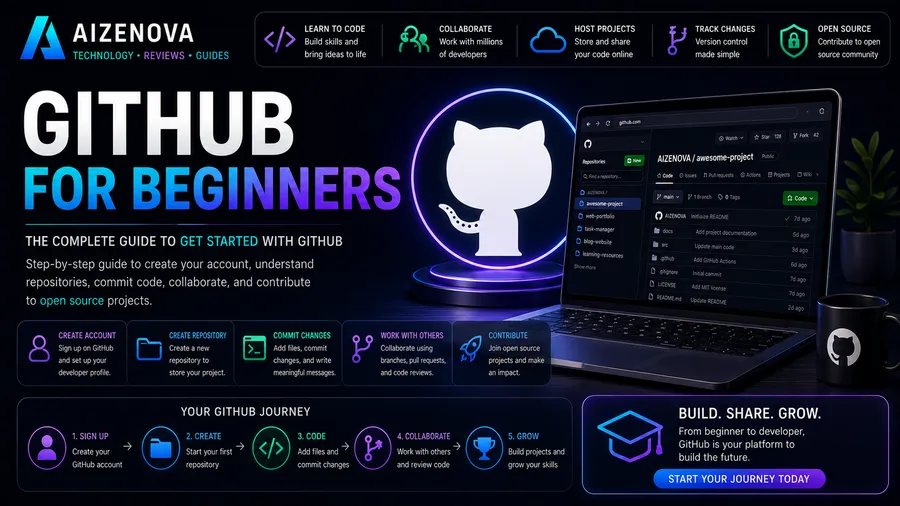
Many beginners confuse Git and GitHub.
Git
- Version control software
- Installed on your computer
- Tracks project history
- Works offline
GitHub
- Cloud platform
- Hosts Git repositories
- Enables collaboration
- Supports pull requests and issue tracking
Git and GitHub are different tools that work together.
Advantages of Git
Git offers many benefits:
- Complete version history
- Fast performance
- Easy collaboration
- Branching and merging
- Distributed architecture
- Reliable backups
- Free and open source
These features make Git the preferred version control system for developers worldwide.
Common Git Workflow
A typical Git workflow looks like this:
- Clone a repository.
- Create a new branch.
- Make changes.
- Stage the changes.
- Commit your work.
- Push the branch.
- Open a pull request.
- Merge the changes.
This workflow helps teams organize development efficiently.
Who Uses Git?
Git is used by:
- Software developers
- Web developers
- Mobile app developers
- Data scientists
- DevOps engineers
- Open-source contributors
- Students
- Technology companies
From small projects to enterprise applications, Git is used almost everywhere.
Frequently Asked Questions
What is Git used for?
Git is used to track file changes, manage versions of projects, and help developers collaborate efficiently.
Is Git free?
Yes. Git is completely free and open source.
Do I need Git to use GitHub?
Yes. GitHub is built around Git repositories, so understanding Git is essential for using GitHub effectively.
Is Git difficult to learn?
No. The basic commands are easy to learn, and regular practice quickly builds confidence.
Should beginners learn Git?
Absolutely. Git is one of the most valuable skills for anyone interested in programming, web development, or software engineering.
Conclusion
Git is an essential tool for modern software development. It allows developers to track changes, collaborate with others, and safely manage projects of any size. Learning Git not only improves your workflow but also prepares you for professional development environments where version control is a standard practice.
Whether you’re building your first website or contributing to large open-source projects, mastering Git is a skill that will benefit you throughout your programming journey.