· Hamza · Reviews · 4 min read
Cursor AI Review (2026): Features, Pricing, Pros, Cons & Is It Worth It?
A complete review of Cursor AI, the AI-powered code editor built for developers. Discover its features, pricing, pros, cons, and whether it's worth using in 2026.
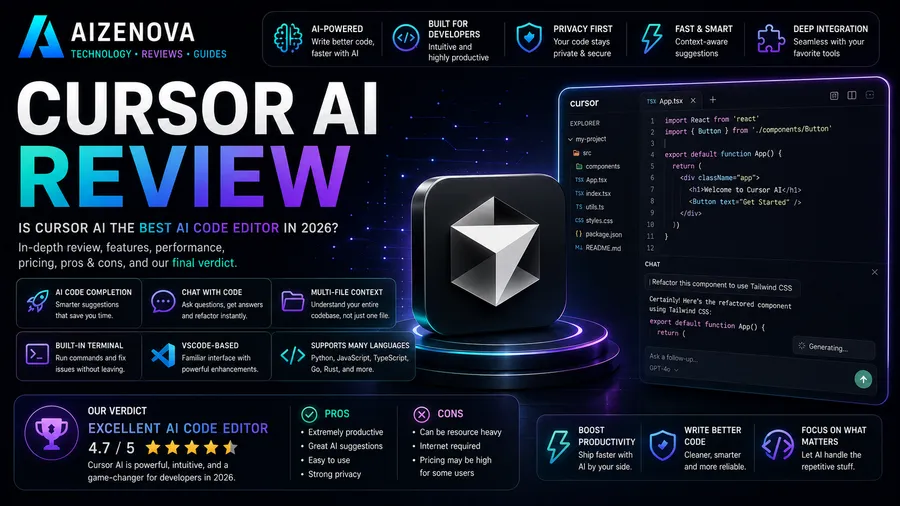
Cursor AI Review (2026): Features, Pricing, Pros, Cons & Is It Worth It?
Artificial Intelligence is changing software development, and Cursor AI has become one of the most popular AI-powered code editors for developers. Built on top of Visual Studio Code, Cursor combines a familiar interface with advanced AI features that help programmers write, edit, debug, and understand code more efficiently.
In this review, we’ll explore Cursor AI’s features, pricing, advantages, disadvantages, and whether it’s worth using in 2026.
What Is Cursor AI?
Cursor AI is an AI-first code editor designed to improve developer productivity.
It combines a modern coding environment with intelligent AI assistance, allowing developers to:
- Write code faster
- Debug applications
- Refactor projects
- Explain complex code
- Generate documentation
- Build complete applications
Because Cursor is based on VS Code, developers can continue using most of their favorite extensions and workflows.
Key Features
AI Code Generation
Cursor can generate code from simple prompts.
Examples include:
- Functions
- Components
- APIs
- SQL queries
- Algorithms
- Scripts
This helps reduce repetitive coding tasks.
Smart Code Completion
Cursor predicts what you’re writing and provides intelligent code suggestions in real time.
Benefits include:
- Faster development
- Fewer typing errors
- Improved productivity
AI Chat
A built-in AI assistant allows developers to ask programming questions without leaving the editor.
You can ask it to:
- Explain code
- Fix bugs
- Generate new features
- Optimize performance
- Review code quality
Code Refactoring
Cursor can improve existing code by:
- Simplifying logic
- Removing duplicate code
- Improving readability
- Following best practices
This is especially useful for large projects.
Project Understanding
One of Cursor’s biggest strengths is its ability to understand multiple files within a project.
Instead of analyzing only a single file, it can reason about the overall codebase, making suggestions that fit the project’s structure.
VS Code Compatibility
Since Cursor is built on Visual Studio Code, developers can continue using many popular extensions, themes, and keyboard shortcuts.
This makes switching to Cursor easy for existing VS Code users.
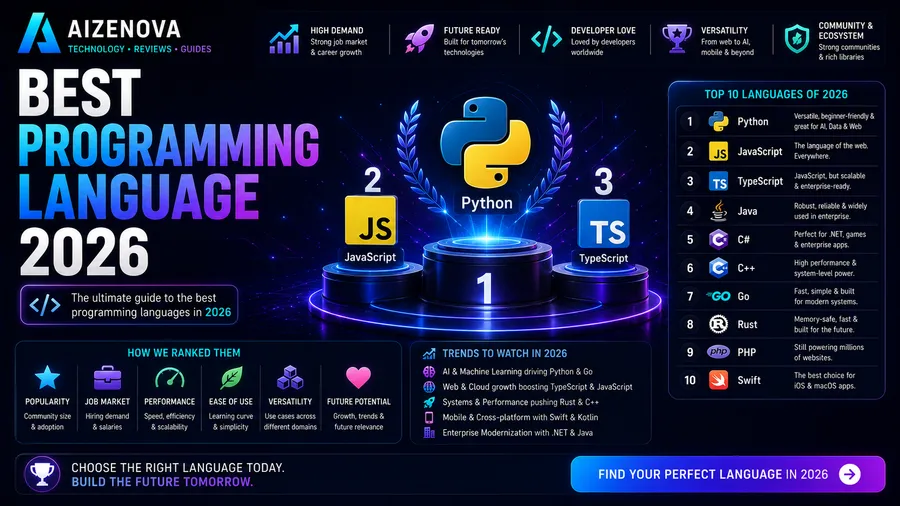
Supported Programming Languages
Cursor supports many popular languages, including:
- Python
- JavaScript
- TypeScript
- Java
- C#
- Go
- PHP
- Rust
- HTML
- CSS
- SQL
- C++
- Kotlin
- Swift
Performance
AI Assistance
★★★★★
Cursor provides fast and accurate suggestions for coding tasks.
Code Completion
★★★★★
Autocomplete is responsive and often predicts the next lines of code accurately.
Debugging
★★★★★
The AI helps identify bugs, explain errors, and suggest fixes quickly.
Ease of Use
★★★★★
Developers familiar with VS Code can start using Cursor almost immediately.
User Interface
Cursor has a clean and modern interface.
Developers can:
- Open multiple projects
- Chat with AI
- Generate code
- Edit files
- Search projects
- Debug applications
The interface feels nearly identical to Visual Studio Code while adding AI-powered capabilities.
Pricing
Cursor offers a free plan with basic AI functionality, along with paid subscription plans that provide higher usage limits, faster responses, and access to more advanced AI features. Pricing and available plans may change over time.
Pros
- Excellent AI code generation
- Familiar VS Code interface
- Fast autocomplete
- Strong debugging assistance
- Understands large codebases
- Supports many programming languages
- Easy migration from VS Code
- High productivity gains
Cons
- Advanced AI features require a paid subscription
- AI-generated code should always be reviewed before deployment
- Performance depends on the complexity of the project and available AI features
Who Should Use Cursor AI?
Cursor is ideal for:
- Software Developers
- Web Developers
- Mobile Developers
- Backend Engineers
- Frontend Developers
- Students learning programming
- Freelancers
- Startups
- DevOps Engineers
- AI Developers
Cursor AI vs Visual Studio Code
| Feature | Cursor AI | VS Code |
|---|---|---|
| AI Built In | ⭐⭐⭐⭐⭐ | ⭐⭐☆☆☆ |
| Code Completion | ⭐⭐⭐⭐⭐ | ⭐⭐⭐⭐☆ |
| Debugging Assistance | ⭐⭐⭐⭐⭐ | ⭐⭐⭐⭐☆ |
| Extensions | ⭐⭐⭐⭐⭐ | ⭐⭐⭐⭐⭐ |
| Ease of Use | ⭐⭐⭐⭐⭐ | ⭐⭐⭐⭐⭐ |
| Productivity | ⭐⭐⭐⭐⭐ | ⭐⭐⭐⭐☆ |
Frequently Asked Questions
Is Cursor AI free?
Yes. Cursor offers a free plan, while paid plans unlock additional AI capabilities and higher usage limits.
Is Cursor better than VS Code?
Cursor is built on VS Code and adds integrated AI features. Developers who want AI-assisted coding may find Cursor more productive, while those who don’t need AI may prefer standard VS Code.
Can Cursor generate complete applications?
Cursor can generate significant portions of an application, but developers should review, test, and refine the generated code before using it in production.
Which programming languages does Cursor support?
Cursor supports many popular languages, including Python, JavaScript, TypeScript, Java, Go, C#, PHP, Rust, HTML, CSS, SQL, Kotlin, Swift, and more.
Is Cursor worth paying for?
If you code regularly and want AI assistance for writing, debugging, and understanding code, a paid Cursor subscription can significantly improve productivity.
Final Verdict
Rating: ⭐⭐⭐⭐⭐ (4.9/5)
Cursor AI is one of the best AI-powered code editors available in 2026. By combining the familiar experience of Visual Studio Code with powerful AI features, it helps developers write better code, solve problems faster, and increase productivity.
Whether you’re a beginner learning to program or an experienced software engineer working on large projects, Cursor AI is an excellent tool that can streamline your workflow and make software development more efficient.